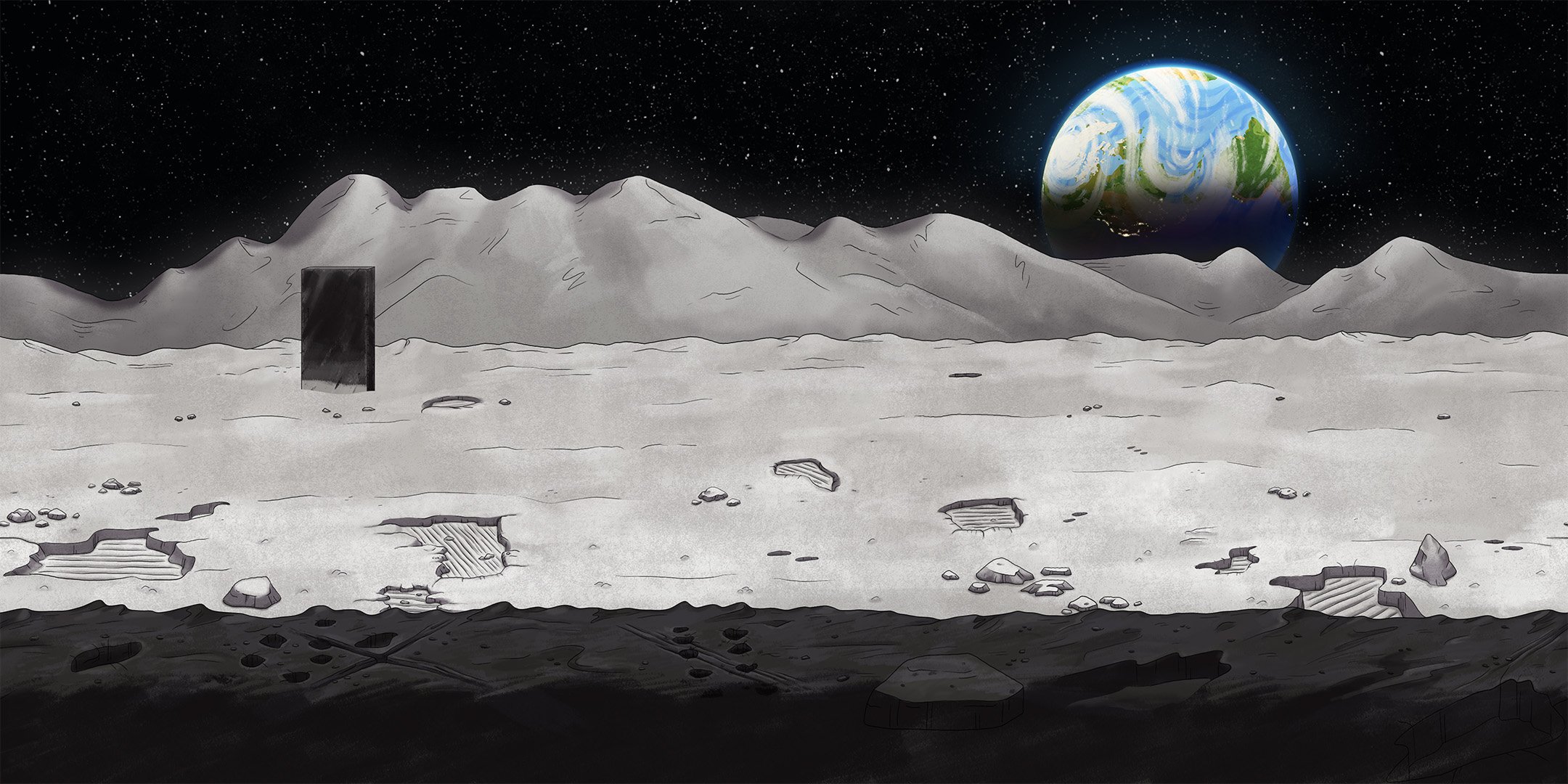
Lunar Landscape
Overview
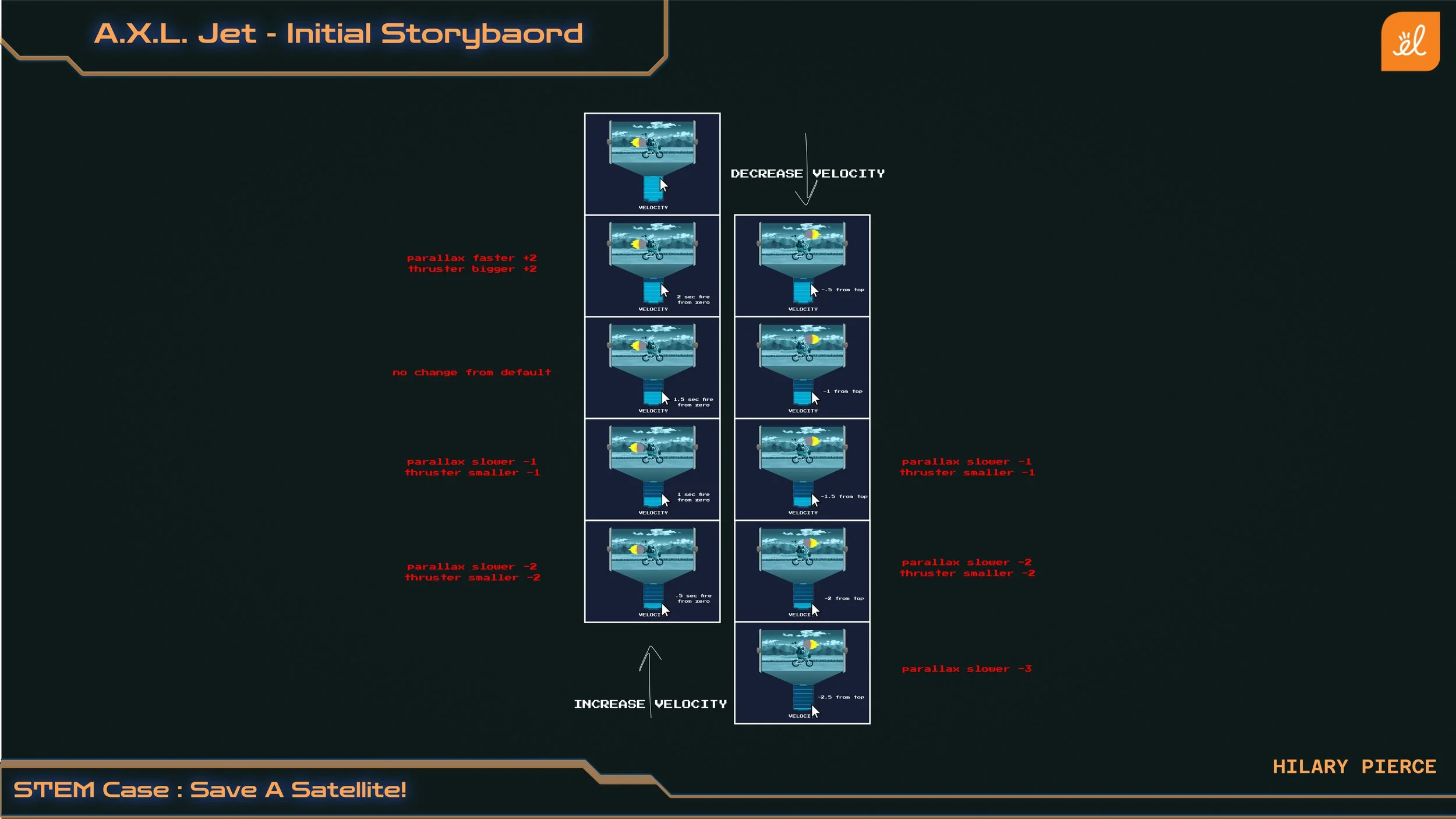
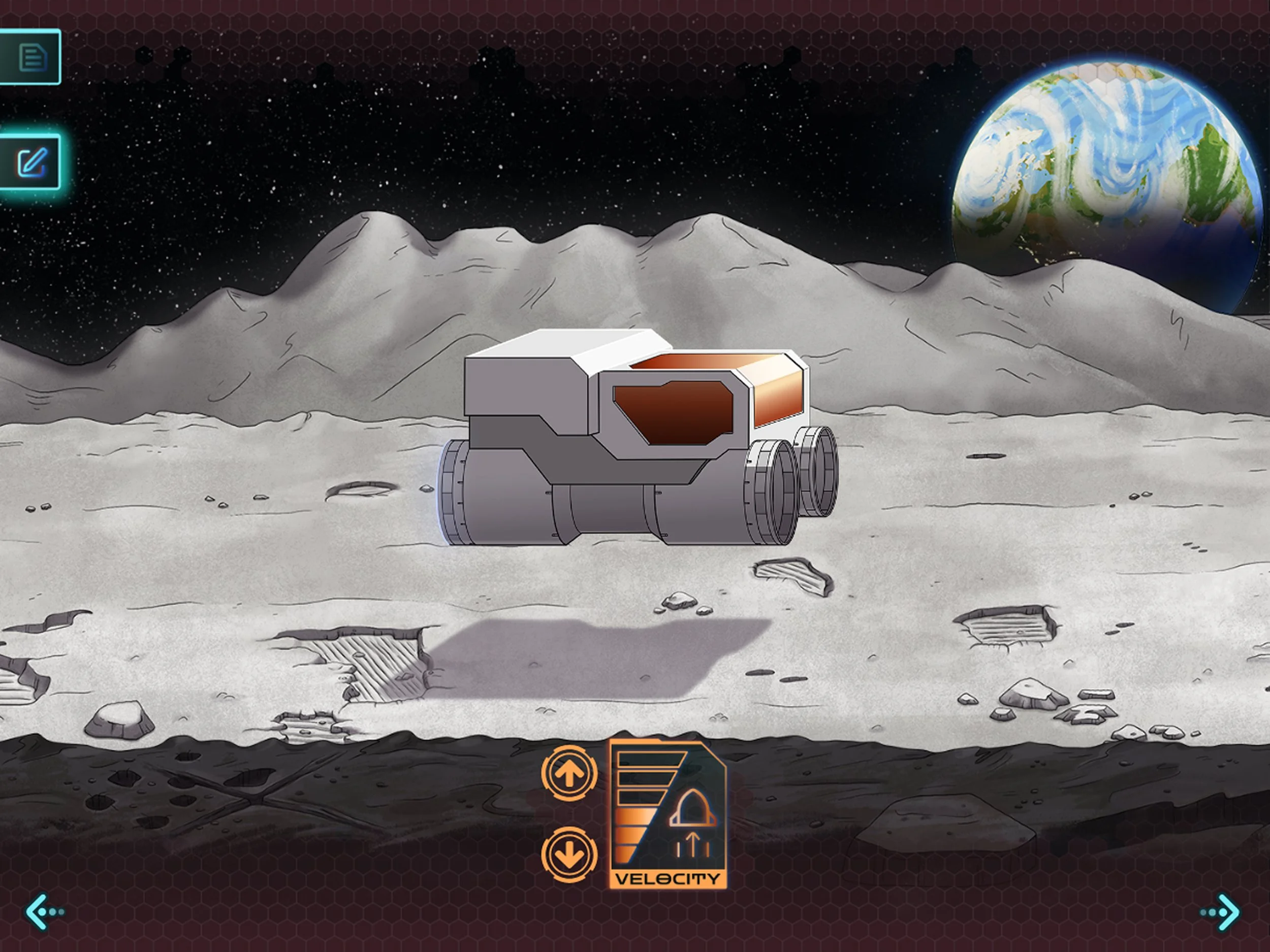
We created a hovercraft traveling along the lunar surface to teach middle school students how applied velocity can impact an object in motion. Within this simulation, students can adjust the hovercraft’s velocity to see how it impact’s the vehicle’s motion.
I created concepts for this piece, designed how the parallax would loop seamlessly, and created the final background art.
My Role: Background Artist/Illustrator
Team: Art Director, Illustrators, Animator
Challenge
The Art Director handed me an initial concept along with specifications the visual needed to portray:
Depicts a vehicle traveling within a space environment.
Seamlessly looping parallax background.
Must facilitate the vehicle moving left and right at a variety of speeds.
Our animated environment also would be exported as a movie that needed to loop.
Design Direction
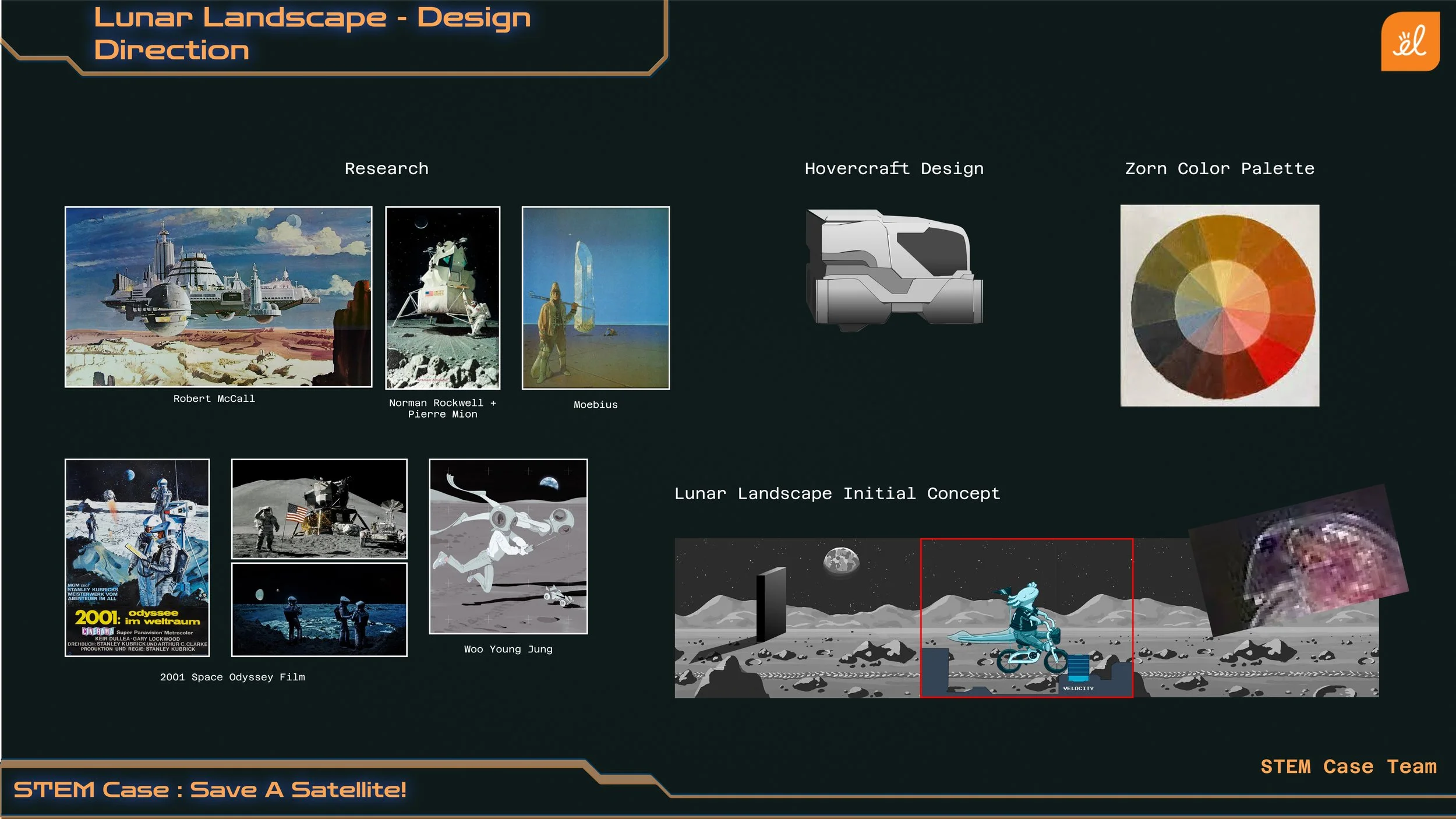
To compliment our outer space setting, we explored a few different space locations that our hovercraft could travel through. We ultimately decided that a lunar landscape would help provide the illusion of speed better than an abstract space background.
Our Art Director chose a Zorn color palette to work within so our environment could stand apart from the blue UI.
referenced space and lunar images
The environment needed to stylistically match the vehicle that would sit atop of it.
Environment Concepts: Jenny Brewer
Vehicle Design: Joel Rosenburg
UI Design: Brandy Anninos
Designing the Lunar Surface
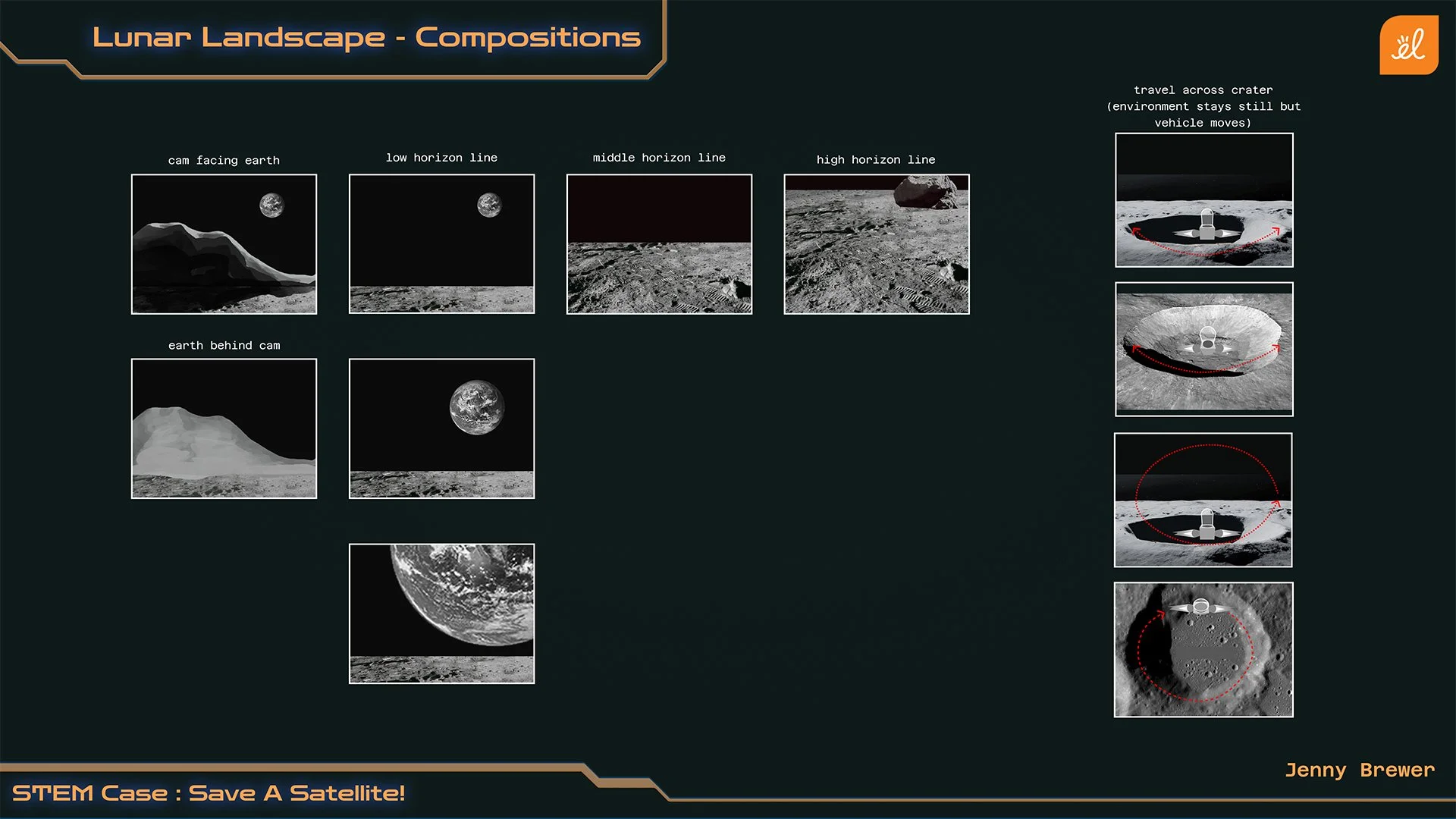
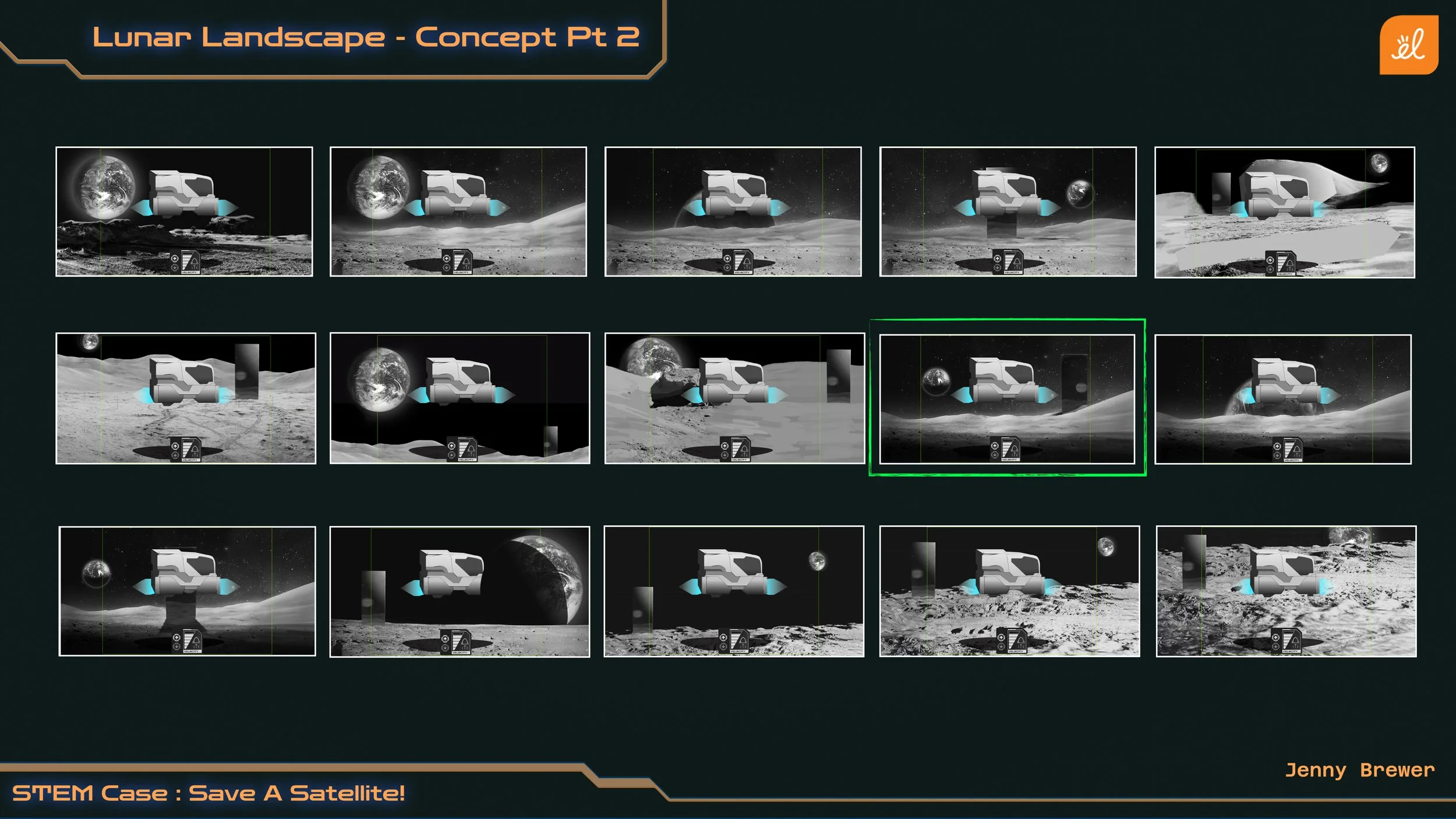
Our team decided that a parallax background would best allow for our vehicle to look like it is moving left or right, which meant our camera was limited to show a side view of the environment and vehicle. I mocked up a set of concepts to help us decide where the horizon line should fall in relation to the vehicle. We decided that placing the horizon line lower than the vehicle would help vehicle stand apart from the background.
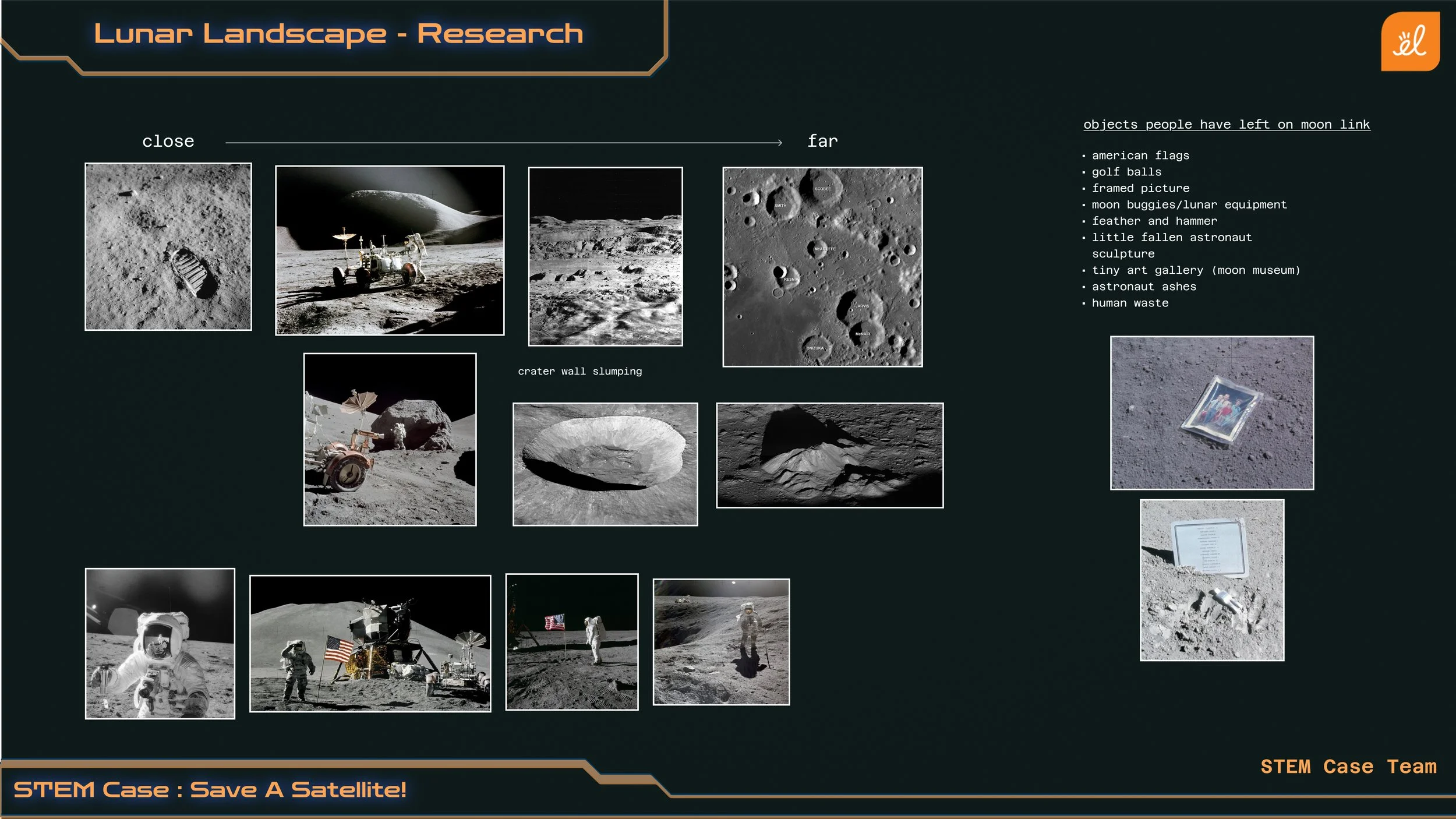
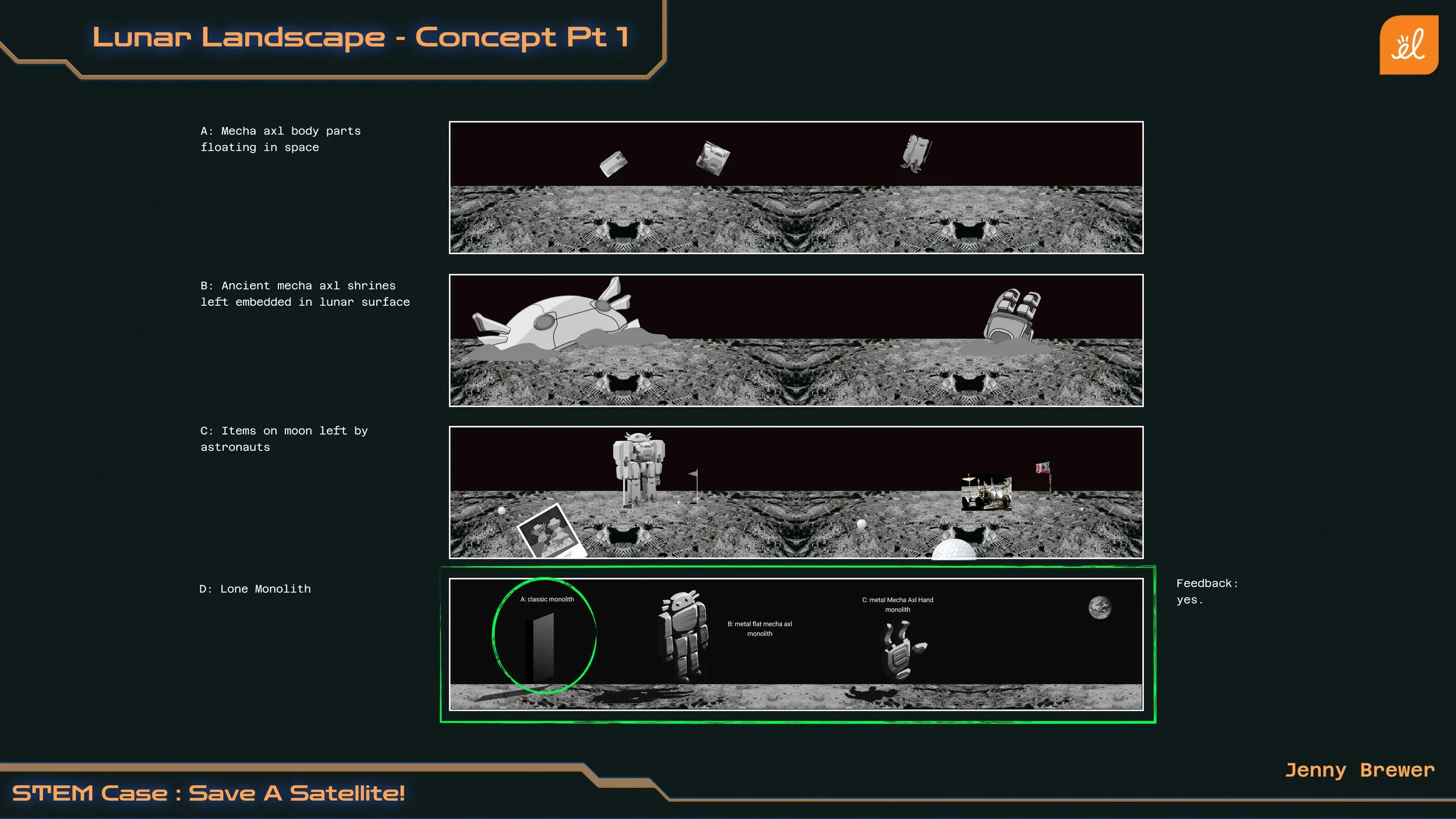
To ensure the landscape felt like the moon, I looked into NASA’s photos on the moon. This informed me that the ground could include footprints and impressions left by humans, small craters, rocks, and mounds. The moon also includes objects left by astronauts, however, we found through concepts that they would be too distracting to include in our final design.
To further hit home that this is the moon, the landscape needed to be grey in color.
Designing for Parallax
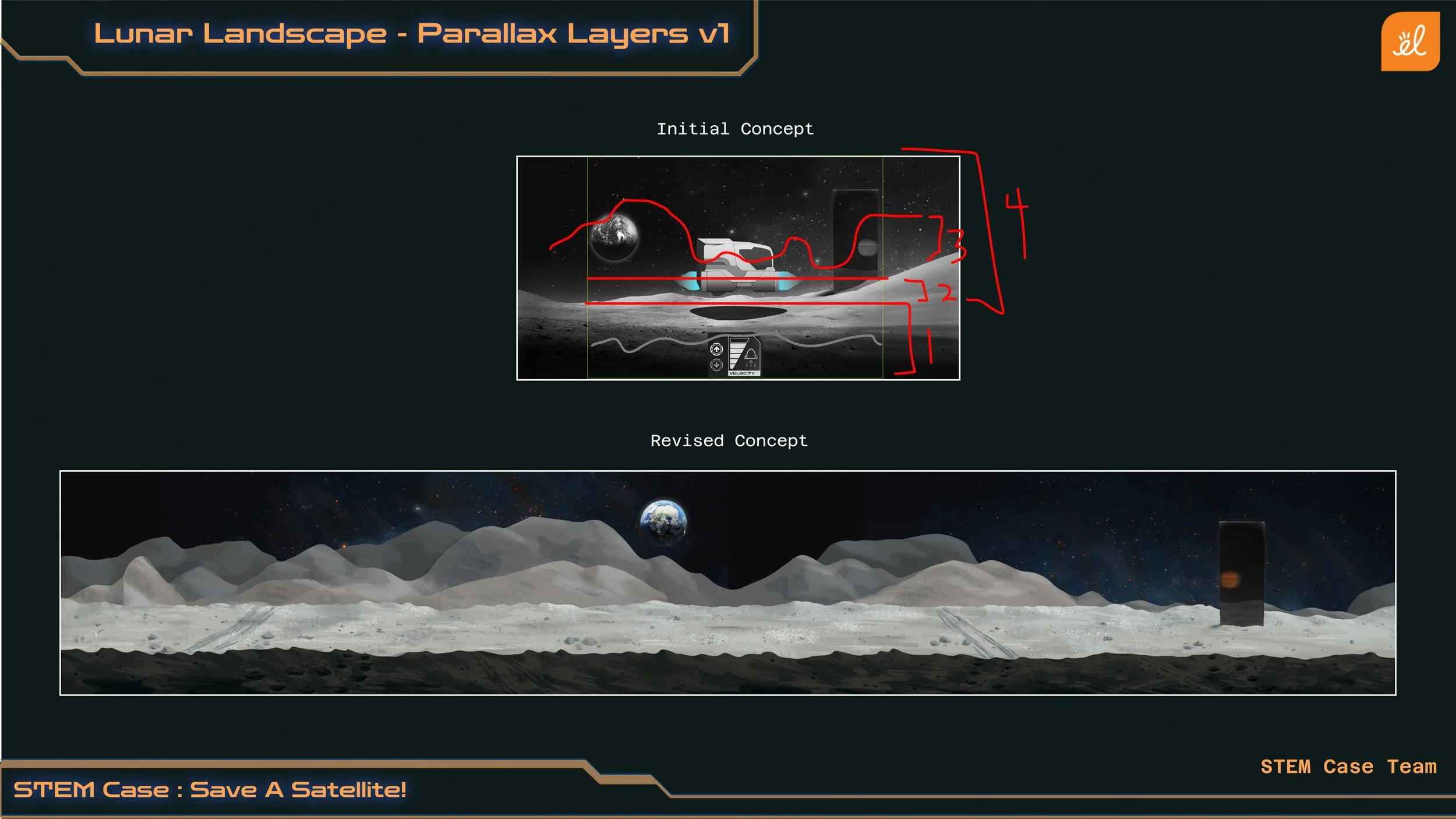
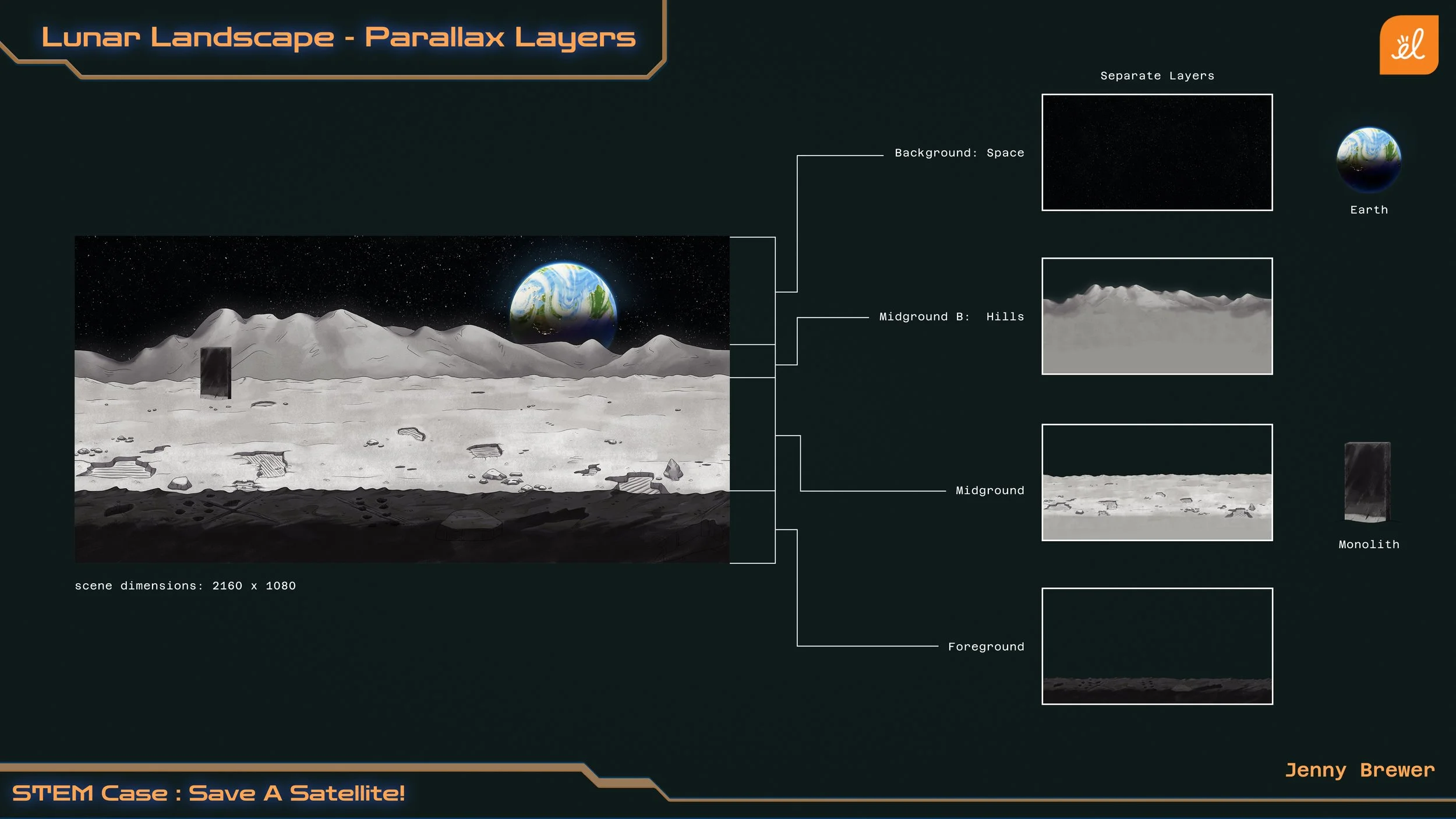
To prove that our concept could work as a parallax environment, the Art Director and I assessed how we could divide up our concepted environment into layers based off their distance from the camera. To keep our production costs at a minimum, we assessed what the least amount of layers were that we could get away with while still creating the speed and dynamisms needed for our vehicle to travel fast. Here’s the layer breakdown we came up with:
Layer 1: Foreground
Layer 2: Midground (this is where the vehicle would exist)
Layer 3: Background (distant hills)
Layer 4: Distant Background (space)
From our initial concept, I created a second concept that showed more clearly where the separation of layers would be.
Planning for High-Speed Motion
Now that I knew how our environment would be broken up, I needed to solve for how these layers could achieve a high speed. These are the details I experimented with:
How long each layer needed to be.
How varied each layer’s silhouette needed to be.
What speed did each layer need to travel at.
For the speed of each layer, I mimicked the behavior of the environment I saw while looking out the window of a moving car. This resulted in the layers descending in speed the further away the layer was from the camera.
Because this environment would be exported as a loopable movie, I decided to make all layers loopaple at the same moment in time. This meant that I could have the layers be the same width if it provided the silhouette variance we needed, which would make for a lighter load on production.
To test the plausibility of this, I setup an After Effects File where I could see the layers in motion after painting them initially in Photoshop. I went back and forth between the two programs, adjusting my silhouettes and lunar surface details until they felt varied enough. Turns out I was able to create enough variety amongst the layers to where I could keep them all relatively short and equal in size.
Results
The environment feels like a lunar landscape in space while stylistically fitting with the ui and vehicle.
Succeeds in providing the students with a believable sensation of motion that can be sped up or slowed down.
The parallax environment was able to be created efficiently while still supporting the speed and loop requirements it needed to meet.
Key Takeaways
Simultaneously creating the environment layers while testing how they will animate helped to make the environment creation faster and more accurate.
With a well thought out and varying design, a parallax effect can be created with minimal assets.
Planning a design ahead of production can help to save production costs in the long run.
See the Design in Action!
See how the lunar landscape background is used in the STEM Case Study: Save a Satellite.